
Using the Library's computers
The Library has computers that are free for everyone to use. Find out where they are and how to use them.
Where to find computers in the Library
- access the internet
- access Library resources, including eresources and the catalogue
- create or edit documents using Microsoft Office tools, including Word, Excel and PowerPoint
- save items to USB
- print to self-service printers.
Which computers to use
The Library provides two types of computers for general use:
- Computers for Library card holders – 2 hour sessions
- Log in to any available 2 hour computer or reserve one up to 2 weeks in advance. You can do this at the reservation station on Lower Ground 1.
- You must have a Library card. You can sign up for a card online or when you visit.
- Computers for guests – 30 minute express sessions
- Collect a guest pass at the Lower Ground 1 service desk.
- Log in to any available express computer.
- You don't need a Library card.
You will need to read the Reader and Visitor code of conduct before using the Library’s computers.
There's no charge to use the Library's computers.
Computers with adaptive technology
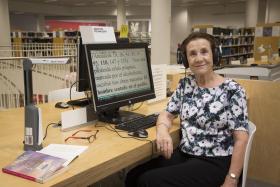
Adaptive technology is software and equipment that makes computers easier to use for people with vision impairment, disability or other needs.
There are two computers with adaptive technology in the Marie Bashir Reading Room.
Use these computers if:
- you’re blind or have low vision
- you have a learning disability
- you have a physical disability
- have difficulty reading.
Using computers in your language
All computers in the Marie Bashir Reading Room have on-screen keyboards that are available in Arabic and simplified Chinese.
You can also use a computer with adaptive technology if you prefer to listen to documents being read to you. These computers can read text in many different languages.